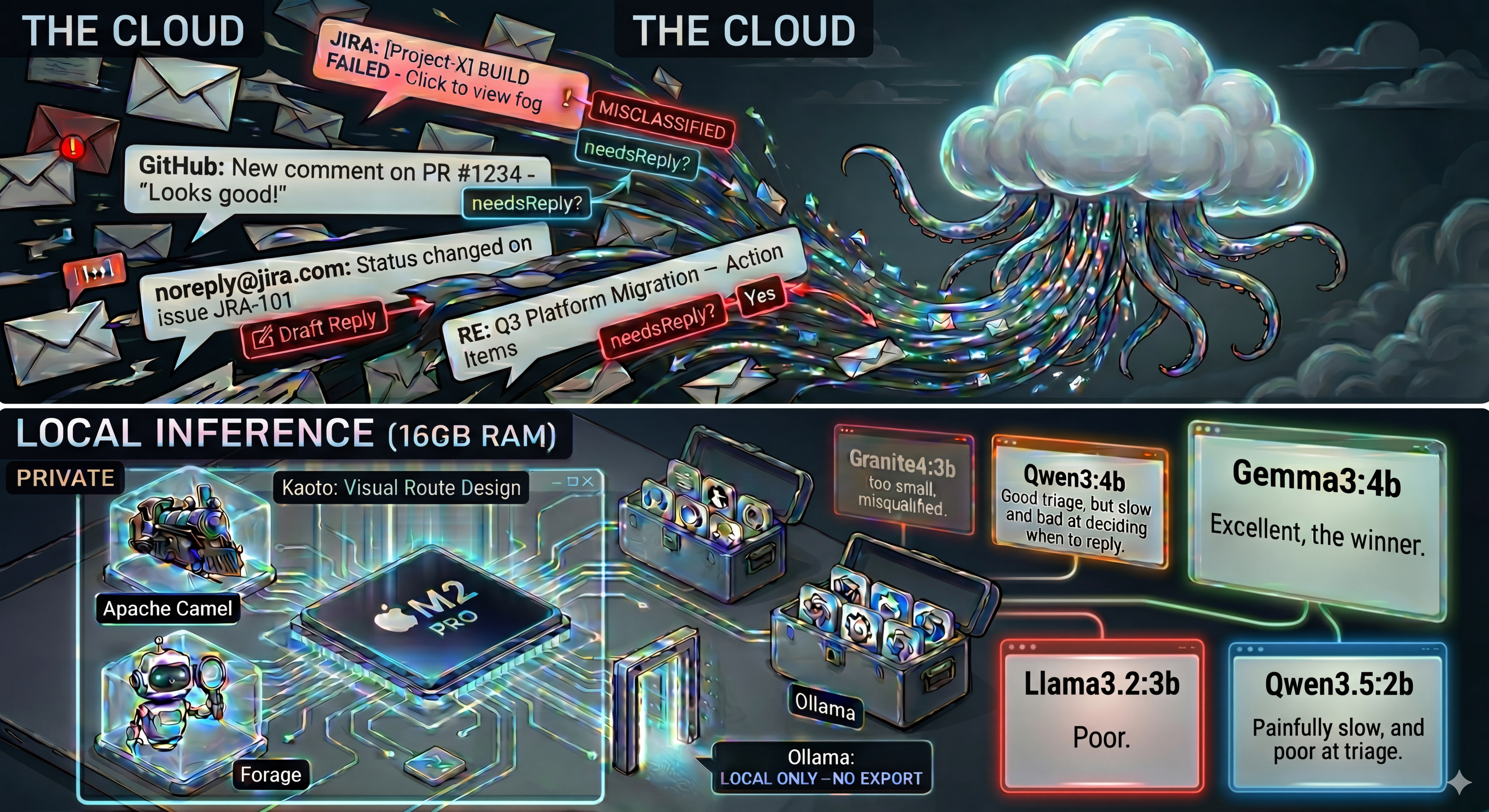
Structured Output Broke My Local Email Triage Agent. Here's How I Fixed It.
After my first post on local LLMs for email triage, I got a lot of feedback from the community. Several people pointed me to Apache Camel's camel-openai component and its structured output support. In particular, Ivo Bek shared his camel-openai-patterns examples with me. His examples ended up being the key to fixing everything.
This post is about what happened when I tried camel-openai with structured output, and why it forced me to retest everything.
What Changed
In part 1, the classification logic lived in the prompt, and the model returned JSON that I parsed. I wanted to try a different approach: Apache Camel's camel-openai component with structured output.
With camel-openai, you pass a JSON schema in the response_format parameter, and the model is constrained to produce valid JSON matching that schema. No parsing, no validation. The response is guaranteed to conform.
This works well with GPT-5 and other large cloud models. But on my local models via Ollama, everything broke.
Approach 1: Classification Logic in the Schema
The OpenAI documentation recommends putting classification rules in the JSON schema field descriptions. So that's what I did. Category definitions, tiebreaker rules, needsReply semantics: all embedded in the schema. The prompt was minimal: just "Classify the following email" plus the email content.
I used four test emails consistently across all models:
- 🔒 Security Alert: CVE detected in production, patch within 24 hours
- 🚨 Server Down: Production server crashed, customers affected
- 📰 Newsletter: Weekly tech digest
- 🍕 Lunch: Colleague asking about lunch tomorrow
I tested 10 models. Every single one failed.
The Results
| Model | Size | Score |
|---|---|---|
| gemma4:e4b | 4B | 0/4 (hallucinated) |
| gemma3:4b | 4B | 0/4 (hallucinated) |
| qwen3:4b | 4B | 0/4 |
| qwen3:8b | 8B | 2/4 |
| qwen3.5:4b | 4B | 0/4 |
| qwen3.5:9b | 9B | 0/4 |
| mistral:7b | 7B | 0/4 |
| llama3.1:8b | 8B | 0/4 |
| ministral-3:8b | 8B | 2/4 |
| qwen3-vl:8b | 8B | 3/4 |
The best score was 3/4. From qwen3-vl:8b. And it wasn't even consistent: a second run dropped to 1/4.
What's Actually Happening
All models show the same bug. I call it the rationale/category disconnection.
The rationale text correctly describes the email. For example: "This is a work-related scheduling request about lunch." But the category enum value is chosen independently. The model writes SECURITY_ALERT.
The model writes good reasoning, then picks a random valid enum value.
Gemma models had it even worse. On top of the disconnection problem, Gemma4 would return empty content with the text stuck in a reasoning field. The response body was blank but the model had actually answered, just in the wrong place.
Things I Tried That Didn't Help
- Adding needsReply reasoning to the rationale description. Made results worse (1/4 instead of 3/4 with qwen3-vl:8b).
- Two-step calls: first call for rationale, second to extract the category from that rationale. Showed promise (2/2 before I stopped) but doubles latency and API calls.
- Renaming categories (e.g., SUSPICIOUS to SECURITY_ALERT). Helped on one specific test case but didn't fix the general problem.
Approach 2: System Prompt + Few-Shot Examples
This is where Ivo Bek's work came in. His classify-leaf-node example uses a completely different pattern. Instead of putting classification logic in the schema, he puts it in the system prompt with few-shot examples. The schema only defines the output format: types, enum values, minimal descriptions.
I adapted this for my email triage agent:
- 📋 System prompt via
CamelOpenAISystemMessageheader with category definitions and classification rules - 📝 Few-shot examples loaded from a file, showing correct classifications
- 🌡️ Low temperature (0.15) to reduce randomness
- 📐 Simplified schema descriptions: just "Step-by-step reasoning about the classification." and "The email category." No logic in the schema.
qwen3-vl:8b
The first model I retested. On 4 curl tests: 4/4 correct. On 7 real Gmail emails: 7/7 correct, including French emails. 🎉
But. Second run on 5 emails: "Lunch on Wednesday?" regressed to SECURITY_ALERT. And it was slow. About 40 seconds per email.
Not reliable enough.
ministral-3:8b
After adding more few-shot examples (6 total), this model was impressive for triage.
Run 1 (10 real Gmail emails): 10/10 correct. Fast at ~5 seconds per email. Works with French emails.
| Category | Correct | Draft Reply | |
|---|---|---|---|
| ChatGPT updates | INFORMATIONAL | ✅ | no (correct) |
| Alerte de sécurité | SECURITY_ALERT | ✅ | no (correct) |
| Lunch on Wednesday? | ACTION_REQUIRED | ✅ | yes (correct) |
| DevFest talk confirmation | ACTION_REQUIRED | ✅ | yes (correct) |
| Q3 Platform Migration | ACTION_REQUIRED | ✅ | yes (hallucinated) |
| test 3 | INFORMATIONAL | ✅ | no (correct) |
| Health Day newsletter | INFORMATIONAL | ✅ | no (correct) |
| Jira onboarding | INFORMATIONAL | ✅ | no (correct) |
| JIRA alert (x3) | INFORMATIONAL | ✅ | no (correct) |
But draft replies were a problem. For the Q3 Platform Migration email (long, with specific names, dates, action items), the model fabricated commitments and claimed I was managing people mentioned in the email. The prompt says "Do NOT fabricate information" but small models ignore that for free-form text generation.
Run 2 (12 emails): 10/12. Two ambiguous emails got different results across runs.
Verdict: excellent triage, but hallucinates on draft replies for complex emails.
gemma4:e4b 👑
Same system prompt + few-shot pattern. Same examples.
8/8 correct on real Gmail emails. Fast at ~4-5s per email (~13s for long emails). Works with French emails. And the draft replies? No hallucinations.
| Category | Correct | Speed | |
|---|---|---|---|
| ChatGPT updates | INFORMATIONAL | ✅ | ~4s |
| Alerte de sécurité | SECURITY_ALERT | ✅ | ~4s |
| Lunch on Wednesday? | ACTION_REQUIRED | ✅ | ~5s |
| DevFest talk confirmation | ACTION_REQUIRED | ✅ | ~4s |
| Q3 Platform Migration | ACTION_REQUIRED | ✅ | ~13s |
| test 3 | INFORMATIONAL | ✅ | ~4s |
| Health Day newsletter | INFORMATIONAL | ✅ | ~5s |
| Jira onboarding | INFORMATIONAL | ✅ | ~5s |
Remember, gemma4 scored 0/4 with Approach 1. Every single response was hallucinated. With the system prompt pattern: 8/8. Same model, same emails, completely different results.
granite4:3b-h
IBM's Granite 4. I had to retest it after my experience with granite4:3b in part 1.
8/8 correct. Fast at ~4-5s. Solid overall, with minor inconsistencies on edge cases.
granite4:7b-a1b-h
The larger Granite 4 variant.
12/12 correct including PURCHASE category and many French emails. Fast at ~4s.
| Category | Correct | |
|---|---|---|
| ChatGPT updates | INFORMATIONAL | ✅ |
| Alerte de sécurité (x2) | SECURITY_ALERT | ✅ |
| Lunch on Wednesday? | ACTION_REQUIRED | ✅ |
| DevFest talk confirmation | ACTION_REQUIRED | ✅ |
| Q3 Platform Migration | ACTION_REQUIRED | ✅ |
| test 3 | INFORMATIONAL | ✅ |
| Health Day newsletter | INFORMATIONAL | ✅ |
| Jira onboarding | INFORMATIONAL | ✅ |
| Jira admin invite | INFORMATIONAL | ✅ |
| Paramètres Google | INFORMATIONAL | ✅ |
| Conditions d'utilisation | INFORMATIONAL | ✅ |
| Purchase confirmation | PURCHASE | ✅ |
granite4:32b
Too slow even with --think=false. Not practical for local use.
The Final Comparison
| Model | Schema | System prompt | Speed | Drafts |
|---|---|---|---|---|
| gemma4:e4b | 0/4 | 8/8 | ~4-5s | ✅ |
| ministral-3:8b | 2/4 | 10/10 | ~5s | ❌ |
| qwen3-vl:8b | 3/4 | 7/7 | ~40s | n/a |
| granite4:3b-h | n/a | 8/8 | ~4-5s | ⚠️ |
| granite4:7b-a1b-h | n/a | 12/12 | ~4s | ⚠️ |
Conclusion
Two big takeaways from this round of testing. 👇
Where you put the classification logic matters more than which model you pick. On Ollama's structured output endpoint, small models cannot follow instructions embedded in JSON schema field descriptions. They generate correct reasoning but pick enum values independently. Moving the rules to a system prompt with few-shot examples fixes this completely. Same models, same emails, completely different results.
Gemma 4 is the new winner. With the system prompt + few-shot pattern, gemma4:e4b delivers accurate triage, fast inference, and reliable draft replies. No hallucinations. It went from 0/4 (worst score with Approach 1) to 8/8. The pattern unlocked it.
Recommended Setup for Local LLMs
- 🏆 Model: gemma4:e4b via Ollama
- ⚡ Alternative: ministral-3:8b (fastest triage, but skip draft replies)
- 🪨 Alternative: granite4:7b-a1b-h (12/12, great with French and diverse categories)
- 📋 Pattern: System prompt with category definitions, rules, and 6 few-shot examples
- 🌡️ Temperature: 0.15
- 📐 Schema: Minimal descriptions, output format only
The source code is in the camel-ai-samples repository. The local-llm/ directory contains the variant with the system prompt pattern for Ollama.
Thanks to everyone who shared feedback after part 1. And a special thanks to Ivo Bek for pointing me to camel-openai and sharing his examples. That changed everything.